Client Accounts
The ANSVIS Client supports multiple account roles to help manage user access to ANSVIS Server. Each role is designed for a specific level of responsibility and functionality within the ANSVIS Server.
info
Only Admin can use this function
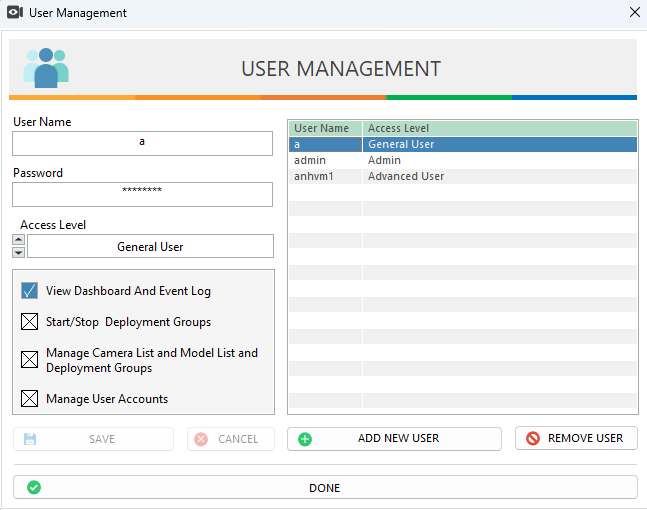
To create and manage account:
- Go to
Settingpage and pressManage Users - The
User Managementdialog will be opened. From here, admin can:- Add/Edit/Delete any username and password
- Change account role using the access level drop-down list
Detail Permission
| Features | Admin | Advanced User | General User |
|---|---|---|---|
| View Only | ✅ | ✅ | ✅ |
| Start/Stop AI Tasks | ✅ | ✅ | |
| Manage Camera, Model, AI Tasks | ✅ | ✅ | |
| Manage User Accounts and Licenses | ✅ |
caution
- Role assignments should reflect the user's operational responsibility to avoid unauthorized changes or access.
- For best practices, always assign the minimum necessary permissions to users based on their actual duties.