Create Project
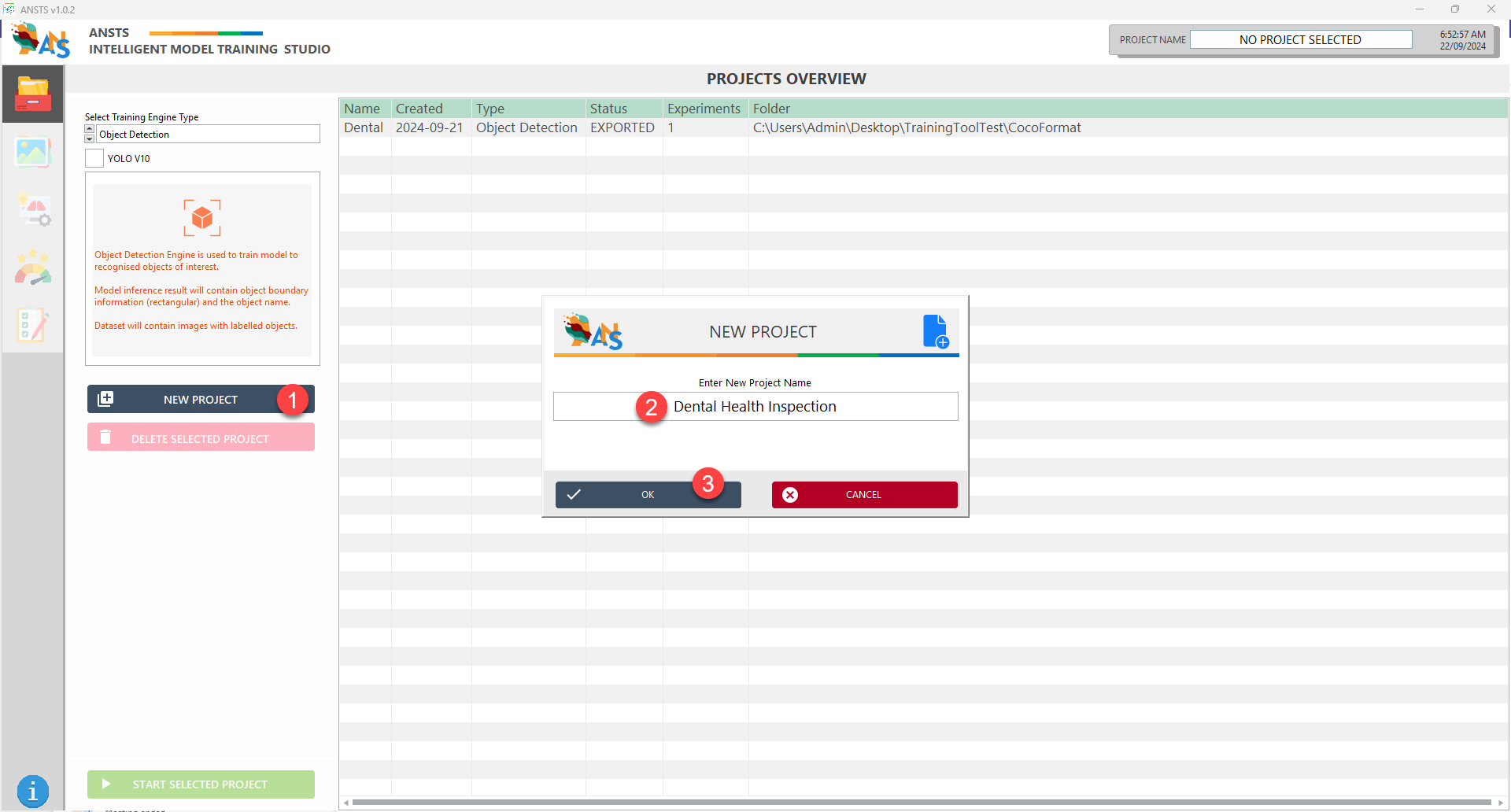
After launching ANSTS, the Project Overview window is displayed.
Each project manages the training experiments and models of a training dataset. To start creating a new model.
- Select
Training Engine Typefrom the drop-down list - Click the
New Projectbutton to create a new project with the selected engine - Name your project and click
OK - The new project will be listed in the corresponding table, double-click to open the project
Based on your selected training engine type, select the corresponding section to continue
🗃️ Object Detection Model
3 items
🗃️ Classification Model
2 items